
JS30連發~其實最近同時還是有在複習node的東西,打算在新學期開啟前把馬步紮穩一些,這段時間文章會混雜JS、node、SQL語法以及可能的Vue或React,可說是相當考驗自己時間管理的能力,我想對我來說會是個不錯的練習!
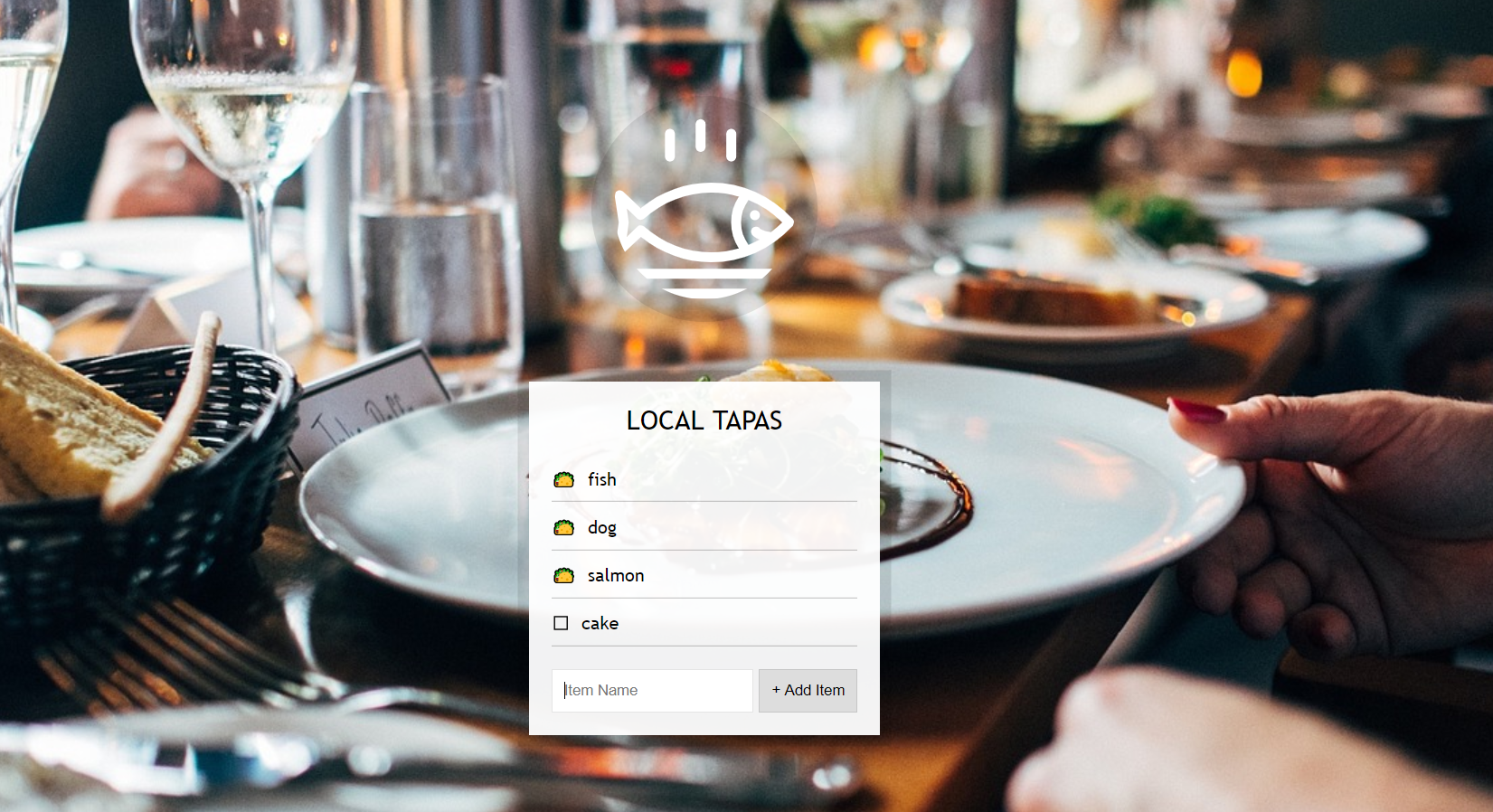
回歸正題,這次的主題像極了我們常做的todo-list,不但用到了許多監聽器的概念,甚至還用到了當時在做電影清單時的localstorage,是一個還不錯的複習~!
HTML
   <div class="wrapper">
    <h2>LOCAL TAPAS</h2>
    <p></p>
    <ul class="plates">
      <li>Loading Tapas...</li>
    </ul>
    <form class="add-items">
      <input type="text" name="item" placeholder="Item Name" required>
      <input type="submit" value="+ Add Item">
    </form>
CSS
html {
  box-sizing: border-box;
  background: url('http://wes.io/hx9M/oh-la-la.jpg') center no-repeat;
  background-size: cover;
  min-height: 100vh;
  display: flex;
  justify-content: center;
  align-items: center;
  text-align: center;
  font-family: Futura,"Trebuchet MS",Arial,sans-serif;
}

*, *:before, *:after {
  box-sizing: inherit;
}

svg {
  fill:white;
  background: rgba(0,0,0,0.1);
  padding: 20px;
  border-radius: 50%;
  width: 200px;
  margin-bottom: 50px;
}

.wrapper {
  padding: 20px;
  max-width: 350px;
  background: rgba(255,255,255,0.95);
  box-shadow: 0 0 0 10px rgba(0,0,0,0.1);
}

h2 {
  text-align: center;
  margin: 0;
  font-weight: 200;
}

.plates {
  margin: 0;
  padding: 0;
  text-align: left;
  list-style: none;
}

.plates li {
  border-bottom: 1px solid rgba(0,0,0,0.2);
  padding: 10px 0;
  font-weight: 100;
  display: flex;
}

.plates label {
  flex: 1;
  cursor: pointer;
}

.plates input {
  display: none;
}

.plates input + label:before {
  content: '⬜️';
  margin-right: 10px;
}

.plates input:checked + label:before {
  content: '🌮';
}

.add-items {
  margin-top: 20px;
}

.add-items input {
  padding: 10px;
  outline: 0;
  border: 1px solid rgba(0,0,0,0.1);
}
Javascript
    const addItems = document.querySelector('.add-items');
    const itemsList = document.querySelector('.plates');
    const items = JSON.parse(localStorage.getItem('items')) || [];

    // 建立功能函數

    function addItem(e) {
      e.preventDefault()
      // console.log(`${(addItems.querySelector('[name = item]')).value}`);
      const text = (addItems.querySelector('[name = item]')).value;
      const item = {
        text,
        done: false
      }

      // 利用reset()清除文字,這是form標籤的一個屬性
      items.push(item)
      populateList(items, itemsList)
      localStorage.setItem('items', JSON.stringify(items))
      this.reset()


    }

    function populateList(items = [], itemsList) {
      itemsList.innerHTML = items.map((item, i) => {
        return `
          <li>
            <input type="checkbox" data-index =${i} id = "item${i}" ${item.done ? 'checked' : ''}>
            <label for="item${i}">${item.text}</label>
          </li>
        `
      }).join('')
    }

    // 設立監聽器

    // 新增items
    addItems.addEventListener('submit', addItem)

    // 勾選checkboxes
    const checkBoxes = document.querySelectorAll('input[type=checkbox]')
    itemsList.addEventListener('click', (e) => {
      if (!e.target.matches('input')) { return '' }
      const element = e.target
      items[element.dataset.index].done = !items[element.dataset.index].done
      localStorage.setItem('items', JSON.stringify(items))
      populateList(items, itemsList)

    })

    // 讀取來自localstorage的資料,使表單重整後不至於空白
    populateList(items, itemsList)
學習重點
- 複習事件分配的概念-與其逐一加入監聽器,不如叫父母管好孩子XD
- 複習localstorage的使用-setItem & getItem
- 複習template iteral的用法,這個真的好久沒碰了
- 再次複習data-attribute的用法,以及如何利用dataset存取
最終成品
 Danny的學習紀錄